Capture the route.
Flag the risks.
Deliver the report.

RouteSurvey App is route survey software for heavy haul and oversize transport. Capture observations offline, create PDF, CSV and KML deliverables, and share survey records through the Web Console. Professional adds route planning and custom report templates.
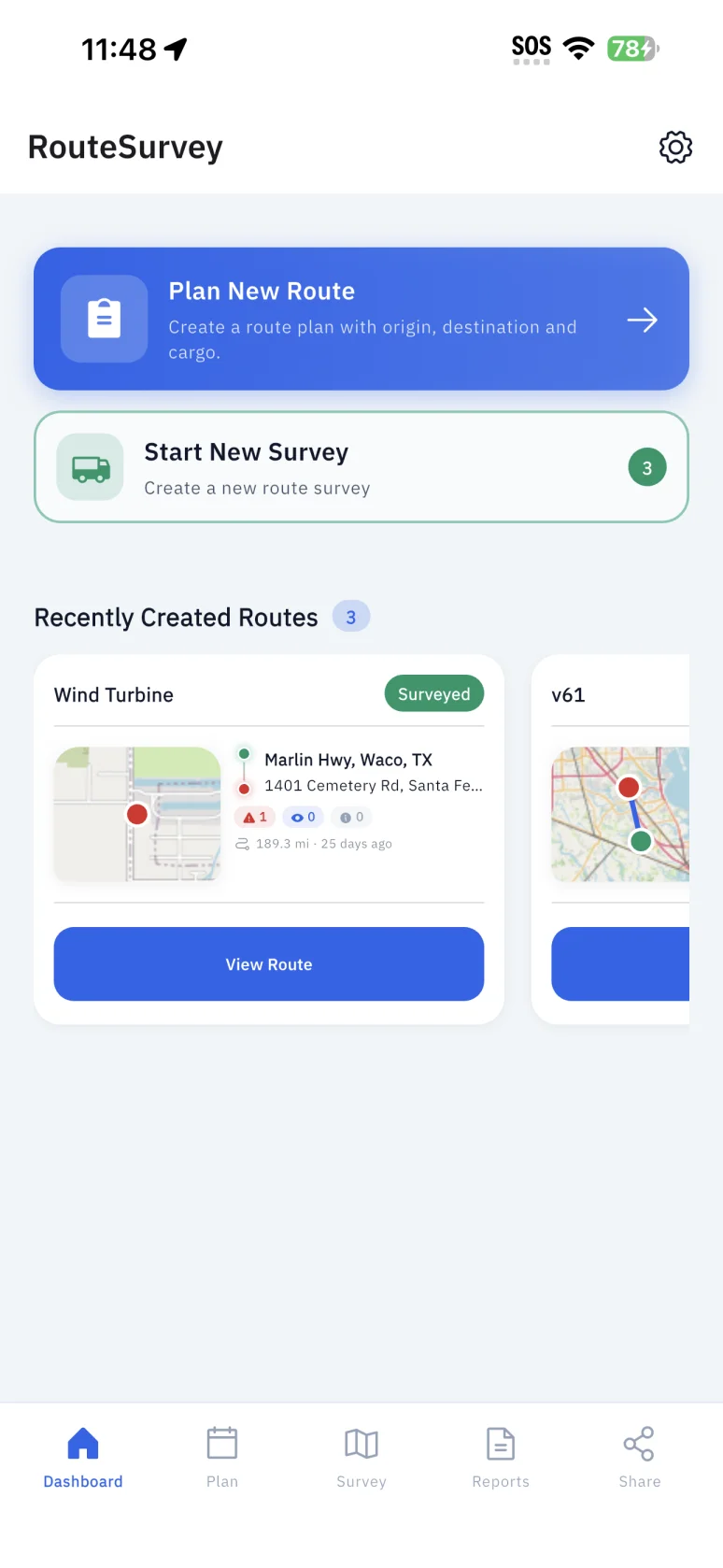
RouteSurvey App mobile dashboard with route planning, survey actions, and recent routes
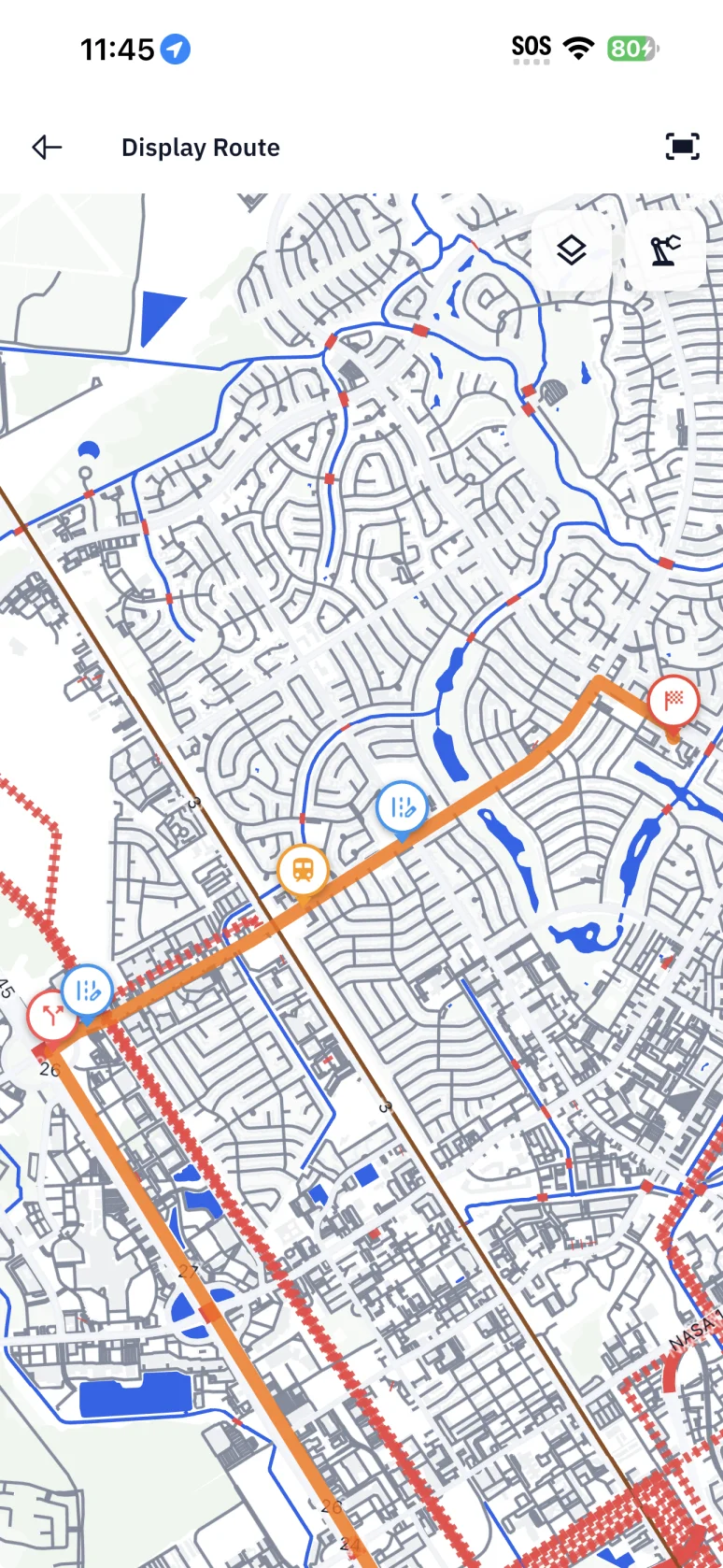
RouteSurvey App light-mode route map showing a surveyed route and recorded observation points
Mobile App & Web Console

Work in the field and in your browser.

The current product supports offline field capture, PDF, CSV and KML exports, access-controlled share links, and version history. Both plans include Web Console access. Professional adds route planning, transport and cargo configuration, and custom report templates. Route comparison is coming soon.
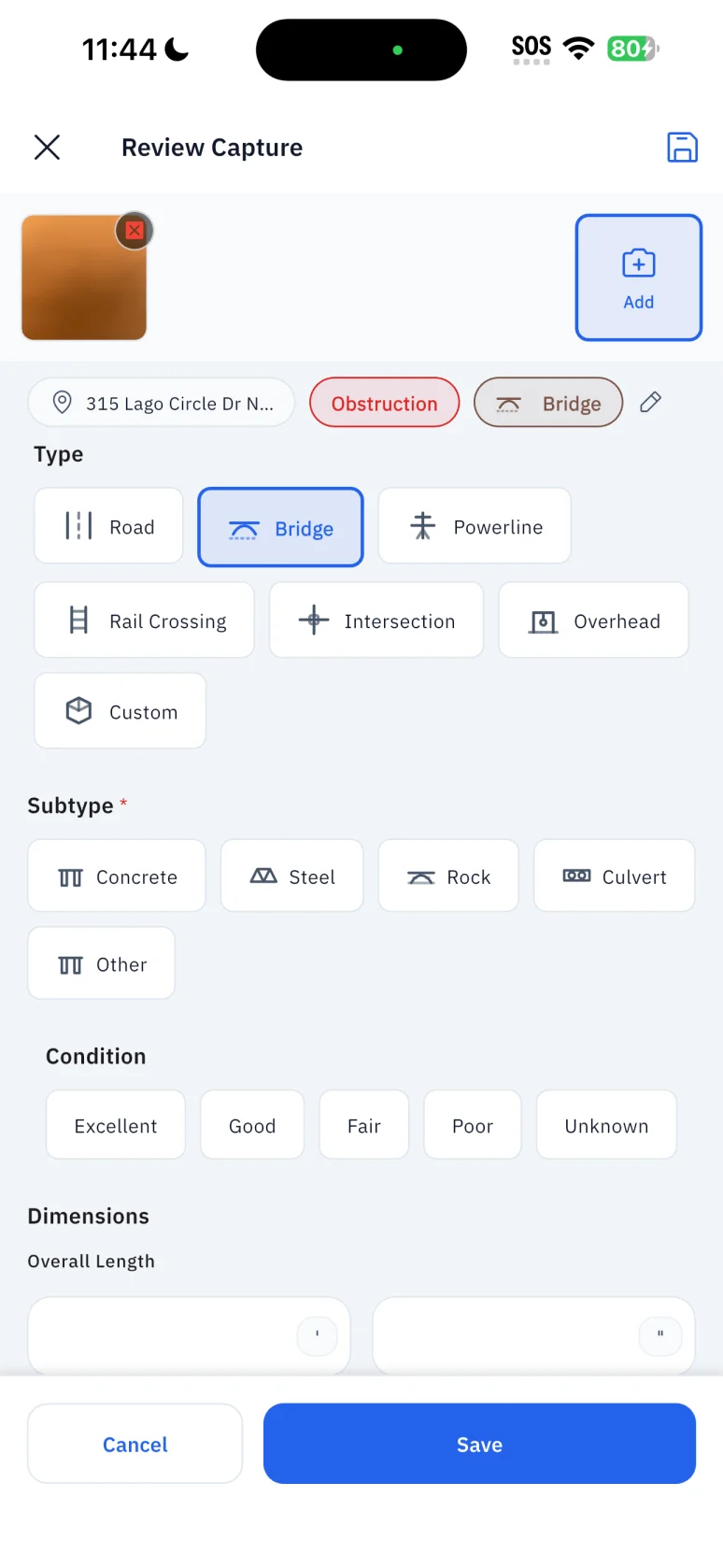
Mobile App — Offline Field Capture
RouteSurvey App light-mode bridge capture form showing classifications, condition, and dimensions
Web Console — Included in Both Plans
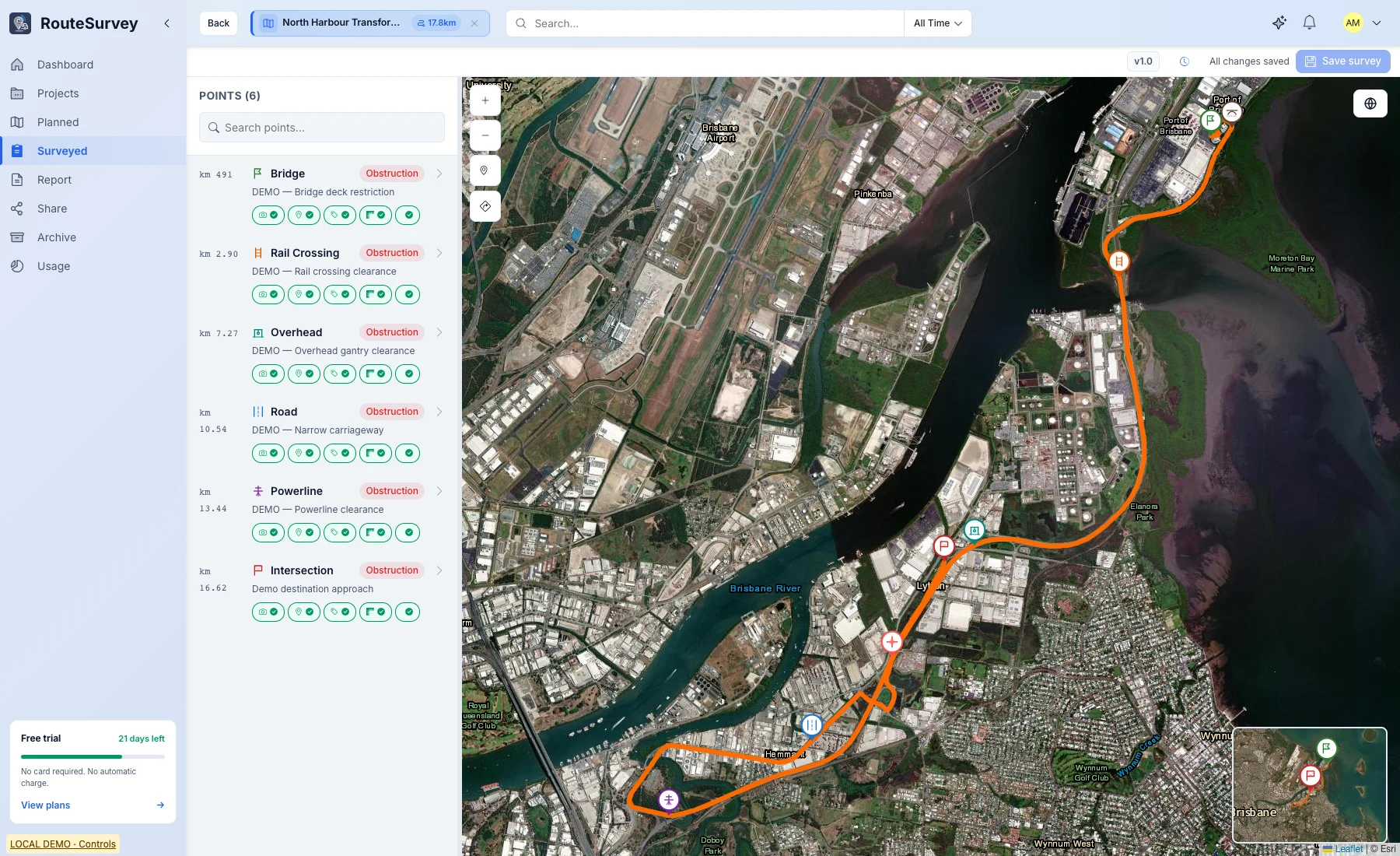
Web Console demo survey with a route map and six observation points
Web Console survey overview · Demo data
Connected workflow

One route record, from field plan to final handoff

Move through five clear stages while keeping availability, evidence, and the next action visible.

Swipe to explore each workflow stage
1 · Plan

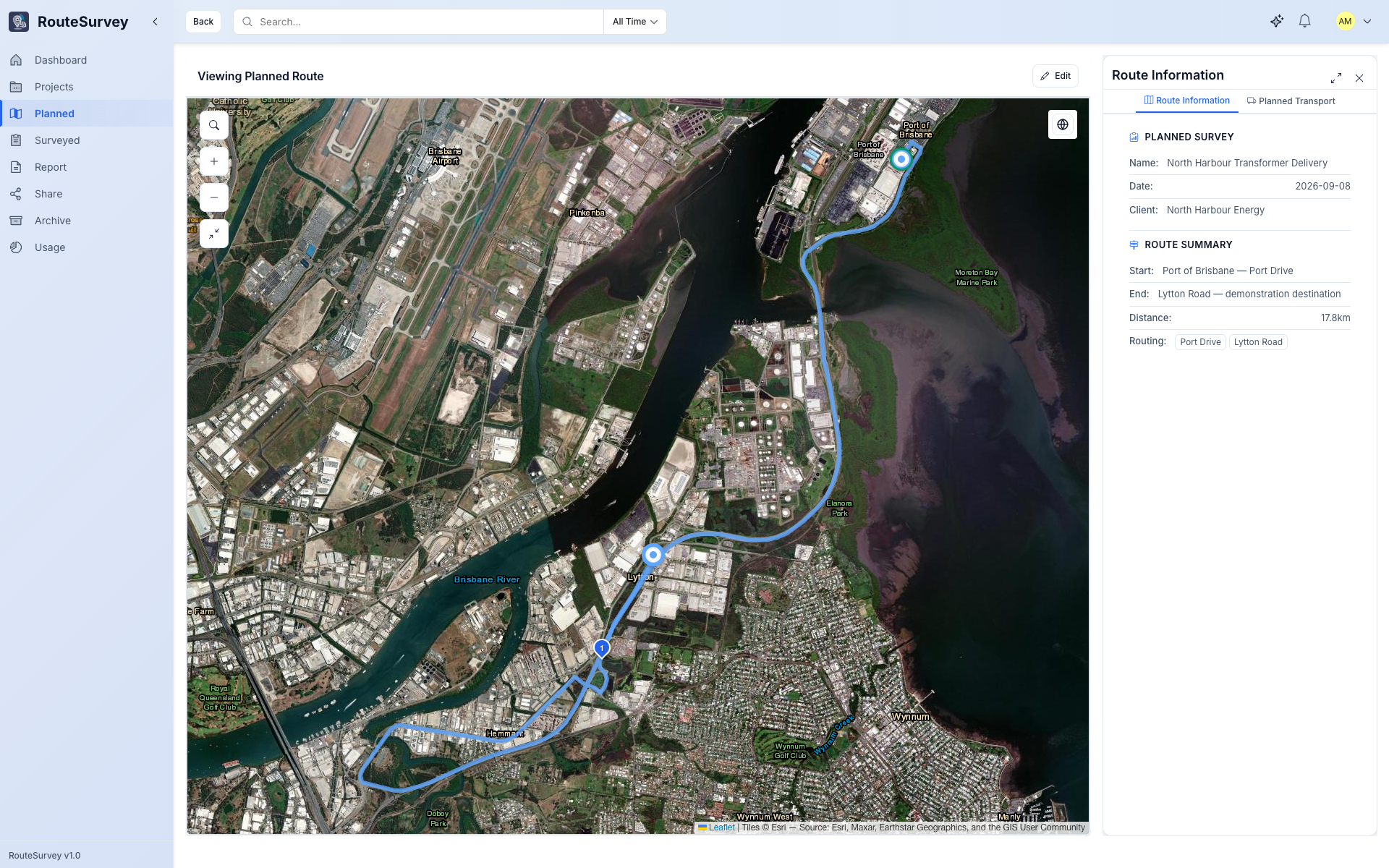
Plan your route in the app

Professional includes route planning in the app. Prepare your route before field work; route comparison is coming soon.

Draw the route or import existing KML geometry
Add waypoints for known constraints
Keep the route plan available to the mobile field team
Learn more →
2 · Survey

Capture structured evidence in the field

Follow the planned route on mobile and record each point with its type, state, measurements, notes, location context, and photos — even when the device is offline.

Type-specific capture forms for consistent field records
Offline capture that syncs when connectivity returns
Photos, measurements, notes, and location context kept together
Learn more →
RouteSurvey App mobile route map with recorded survey points
3 · Review

Access the Web Console with either plan

Field and Professional both include access to the Web Console for working with your surveys in the browser.

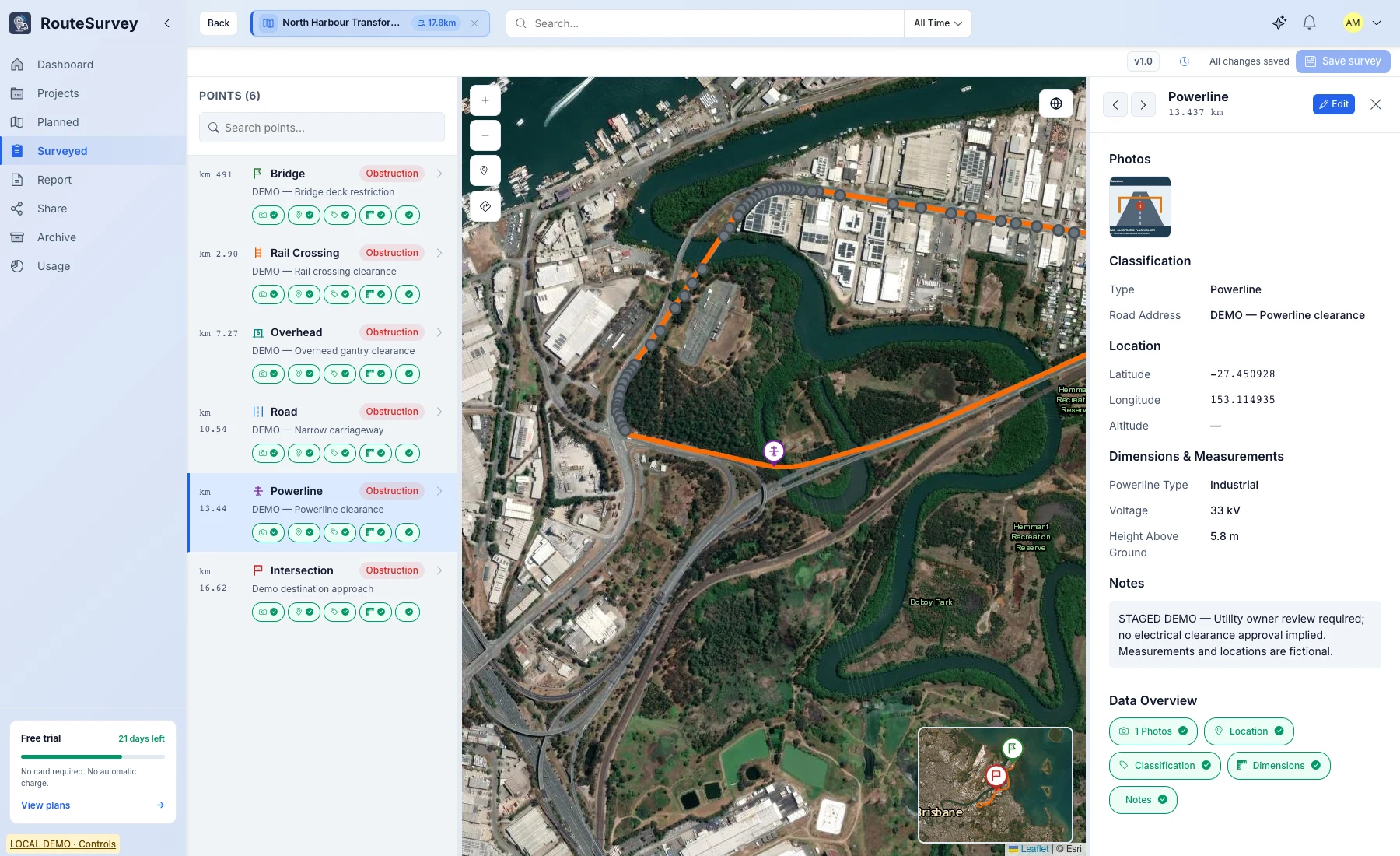
Filter points while keeping the route and selected record visible
Correct classifications, measurements, and notes per point
Verify supporting photo evidence before report generation
Learn more →
Web Console demo powerline observation with location, measurements, notes, and an illustrative attachment
Observation details · Demo data; attachment is illustrative
4 · Export

Export route-survey deliverables

Export captured route-survey information for reporting, distribution, and downstream workflows. More advanced report review and approval tools remain on the roadmap.

Route overview maps and survey point registers
Configurable sections backed by captured measurements
Readiness checks before the report is generated
Learn more →
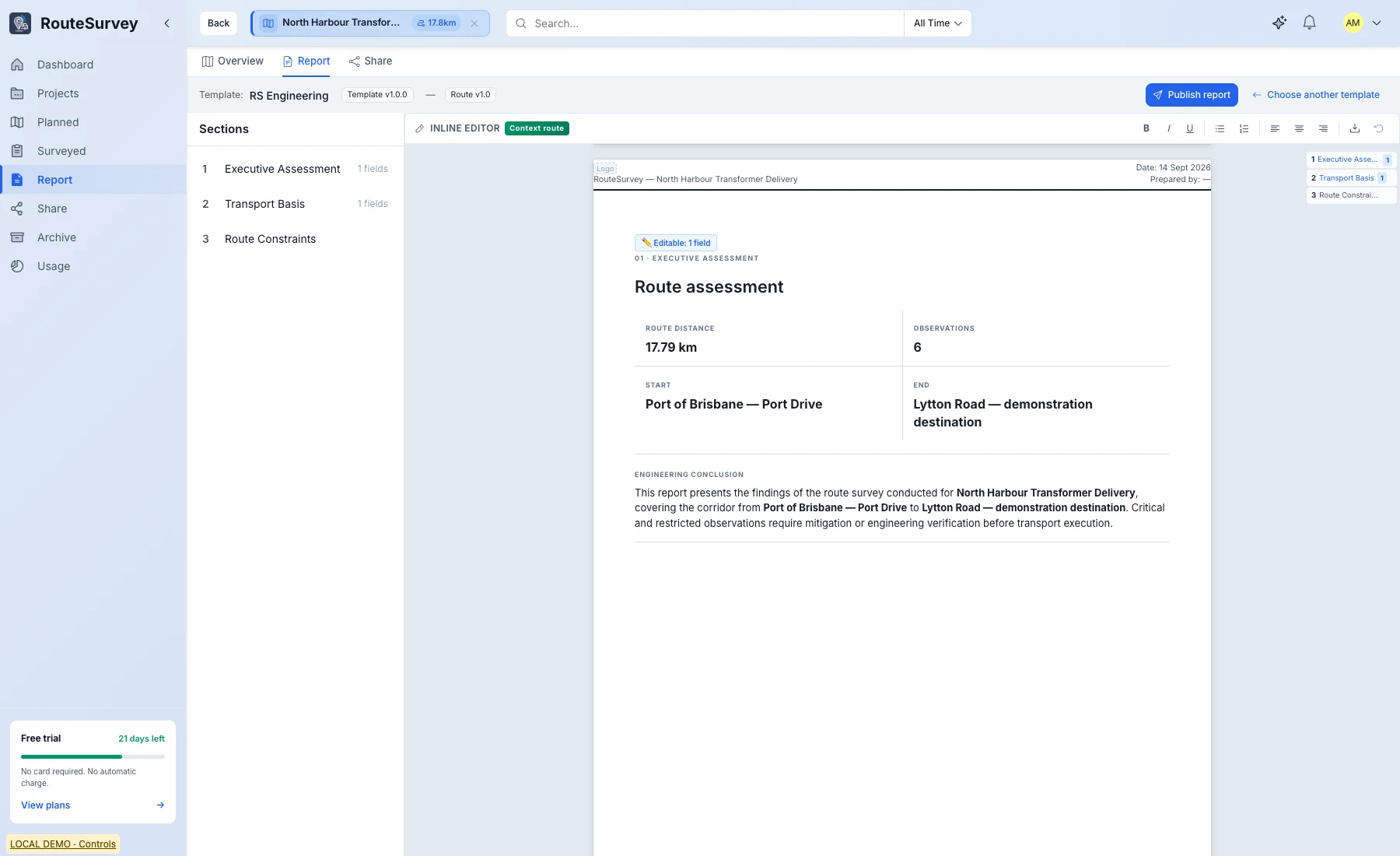
Web Console report editor with an applied template and route assessment
Report editor with an applied template · Demo data
5 · Share

Share the right deliverable with each stakeholder

Create access-controlled links or export supported formats so clients, project teams, and GIS users receive the report or route data they need.

Access-controlled links for reports, routes, maps, and project data
PDF downloads for formal review and distribution
Supported route and survey data exports for downstream workflows
Learn more →
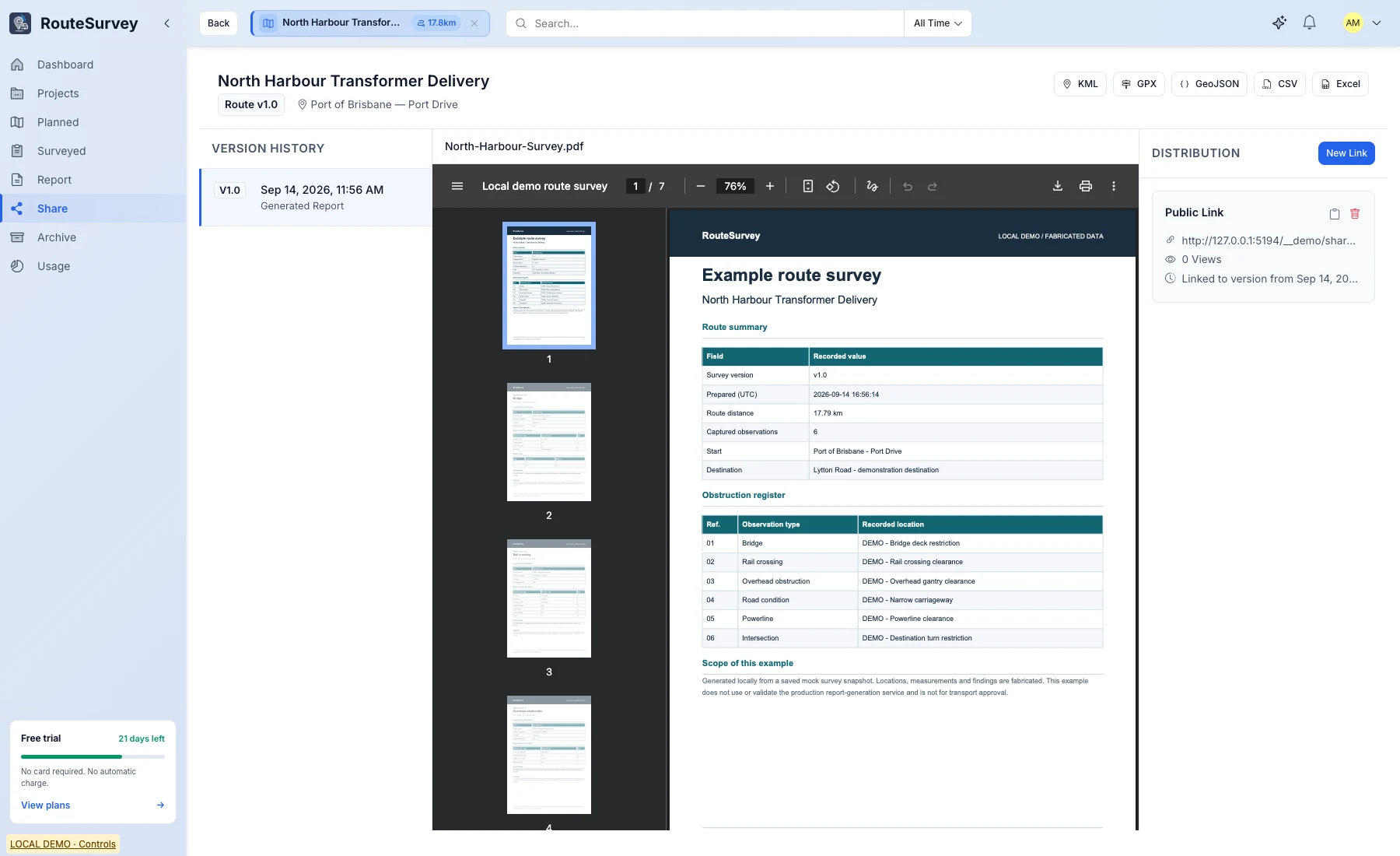
Web Console Share Center showing report versions, a sample PDF and a distribution link
Share Center · Local demo with a sample report
Illustrative Product Direction

See the route, survey points, and risks together

Explore the web-console view of the route and its survey observations.

Web Console demo survey with a route map and six observation points
Web Console survey overview · Demo data
Reports & Data

Export and share route-survey data

Export PDF reports, CSV data, and KML routes, or share survey information through access-controlled links.

PDF Report

Export route-survey information for review and distribution in a structured PDF format.

Share Links

Provide access-controlled links to supported route-survey information without sending multiple file versions.

Route Data Exports

Move supported route and survey data into downstream mapping, review, and archive workflows.

Frequently asked questions

What does RouteSurvey App currently support?

The current product supports offline field capture, PDF, CSV and KML exports, access-controlled share links, and version history. Both plans include Web Console access. Professional adds route planning, transport and cargo configuration, and custom report templates. Route comparison is coming soon.

Can I use RouteSurvey App offline in the field?

Yes. Field survey capture works offline. Survey data, photos, and measurements are stored locally and sync automatically when connectivity returns.

What export options are available?

RouteSurvey App supports PDF reports, CSV data exports, and KML route exports.

How is survey data stored and secured?

RouteSurvey App uses encrypted connections and account-scoped access controls. Enterprise security requirements are reviewed during implementation.

How will I know when RouteSurvey App launches?

Join the waitlist to be notified when RouteSurvey App launches.

Built for Engineering-Grade Work

Your data, your control

Access-Controlled

Encrypted connections and access controls help keep project access scoped appropriately.

Report Records Built for Review

Survey records can retain surveyor, GPS, timestamp, and photo context for review and reporting.

You Own Your Data

Export project deliverables in supported formats including PDF, CSV, and KML.

Know when RouteSurvey App launches

Leave your email for a release notification. You can also choose to receive our newsletter when you sign up.

Waitlist registration does not guarantee product access or a launch date.